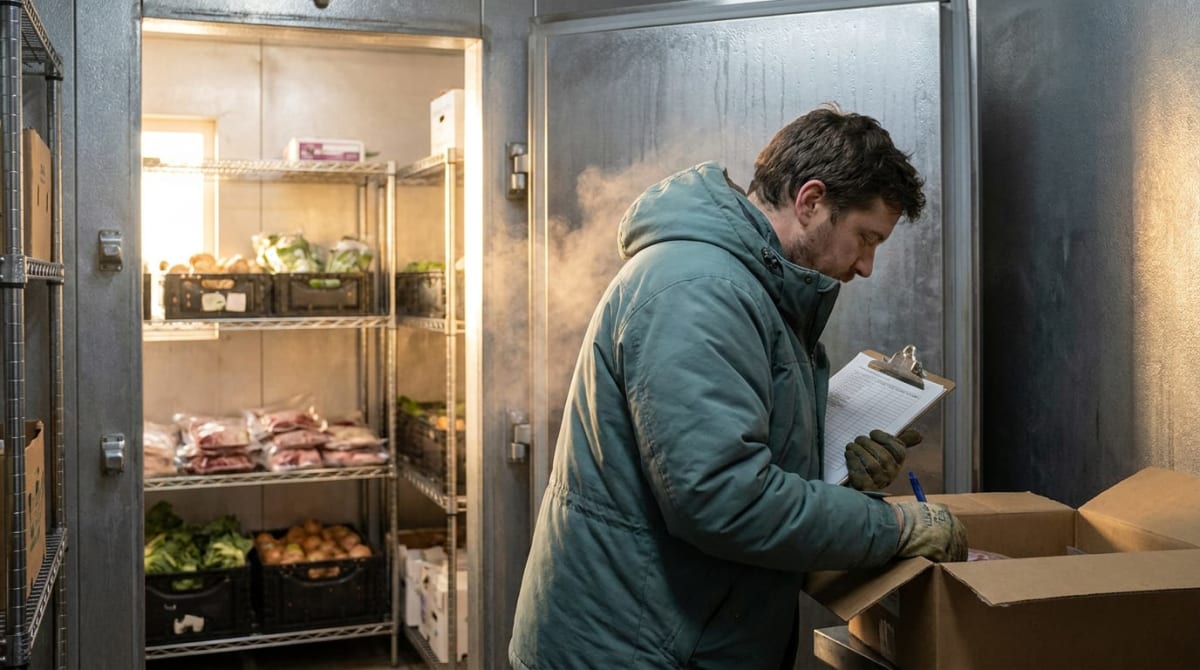
It's 6:05 AM and you're standing in the walk-in with a clipboard, doing math in your head. Four cases of chicken. Two flats of romaine that look tired. The order cutoff is 10 o'clock, Saturday carries a 180-cover banquet event order, Sunday brunch is anyone's guess, and your broadline rep moved the delivery day last month without much warning.
Every operator knows this ritual. Most are still running it on gut, memory, and cold fingers. Predictive AI inventory forecasting exists to end it: a system that watches your sales, your calendar, and your suppliers, then tells you what to order before you're ever standing in the cold doing arithmetic.
If you own the walk-in, this one's for you. If you're the dealer or service agent supplying the people who do, stick around, because your side of this shows up in the second half.
If you only read one paragraph: Stockouts and dead stock come from the same root cause: ordering by memory against a demand pattern that shifts weekly. A predictive AI inventory system builds on data you already have (POS sales, invoices, order guides), forecasts continuously instead of once a season, drafts your orders ahead of each supplier cutoff, and flags exceptions like a lead time quietly doubling. You approve orders in minutes instead of building them in the cold, and you stop learning about shortages from a Saturday-night 86.
Why the Count-and-Guess Cycle Breaks in November
The reactive order cycle looks like this: count what you have, remember what you sold, guess what's coming, pad it a little, send the order. It sort of works in the flat months. It falls apart exactly when the stakes rise, because November demand isn't a pattern, it's a lurch. Catering spikes. Holiday parties stack up. A school account goes dark for a week. The banquet calendar giveth and taketh.
Then there's the forecasting problem inside the forecasting problem: your suppliers are lurching too. In FE&S magazine's 2026 State of the Industry survey of NAFEM manufacturers, 91% said tariffs are hurting their business, up from 9% in 2023, and 78% have passed those costs through to customers. That's the supply side telling you, on the record, that prices and lead times will keep moving under your feet. The five-day lead time you memorized in March might be fifteen by Thanksgiving, and nobody calls to tell you.
Now the real math on what count-and-guess costs. A kitchen manager spending 45 minutes a day counting, guessing, and building orders, six days a week, burns four and a half hours weekly. That's 234 hours a year, roughly $7,000 of management time at $30 an hour, spent producing a guess. And when the guess misses, it misses expensive: 86 a center-plate item on a Saturday and 30 lost or downgraded orders at $34 each is over $1,000 gross in one night, plus a dining room full of people who came for the thing you ran out of.
Dead stock is the same coin, other face. The pad you add "just in case" becomes the case of specialty product you're still working through in January.
How a Predictive AI Inventory System Actually Works
Four layers, built in order. None of them require replacing your POS, your ERP, or your order guides.
1. The data foundation. The forecast is only as good as what feeds it: item-level sales from the POS, purchase history from invoices, your order guides, and your event calendar. Messy is fine. Modern AI tools read exports, PDFs, even the spreadsheet your chef swears by. This is the same "work with what you have" approach I described in modernizing legacy systems without a rip-and-replace. Two weeks of clean feeds beats six months of software shopping.
2. The forecasting engine, running continuously. Not a spreadsheet you rebuild each season. A model that re-forecasts every night, weighing day of week, seasonality, the banquet event orders on the books, weather, holidays, and, for school and college accounts, the K-12 commodity calendar and break schedule. When December bookings start landing in October, the forecast moves in October.
3. Automated order recommendations. Ahead of each supplier's cutoff, the system drafts the order: par levels that flex with the forecast instead of sitting frozen since 2023. You review, adjust the two lines where you know something the data doesn't, and approve. Five minutes, coffee in hand, instead of 45 in the cold. Pair it with AI purchase order processing and the approved order becomes a clean PO without anyone re-keying line items.
4. Exception alerts for the supplier side. This layer earns its keep in a volatile year. The system watches confirmations and acknowledgments and taps you when reality shifts: a lead time that moved from five days to fifteen, a price up 12% since last order, an item flagged discontinued with a suggested sub. You find out on a Tuesday morning with time to act, not on the loading dock.
Here's the same ten days before Thanksgiving, run both ways.
The count-and-guess version: Nov 14, you order heavy "to be safe." Nov 18, the rep mentions, in passing, that the specialty turkey breast is allocated. Nov 20, you call three suppliers hunting product. Nov 24, a panicked will-call run across town. Nov 27, you 86 one item by 7 PM and eat the story at every table.
The forecasted version: Nov 3, the engine sees holiday bookings outpacing last year and raises pars. Nov 6, an exception alert flags the turkey breast lead time stretching, so the order moves up a week. Nov 14, drafted orders go out on time. Nov 27, the walk-in holds what the book says it should, with a margin you chose on purpose.
The Supplier Side: What Dealers and Service Agents Get
If you're the dealer, distributor, or service agent in this picture, predictive ordering upstream is good news for you too. Customers who forecast send cleaner, earlier, better-structured orders. Fewer 4:55 PM emergency calls. Fewer freight claims born from rushed shipments. Planned deliveries instead of heroics.
And the same logic runs inside your own building. Service agents forecast truck stock the way operators forecast proteins: which parts roll on which trucks, weighted by install base, season, and failure patterns, so a tech isn't driving back across town for a $40 igniter. Dealers forecast warehouse stock against project pipelines and lead-time drift on equipment. The tariff volatility in that NAFEM survey hits your quotes as hard as anyone's food cost.
One more habit worth stealing: the trade press has been full of supply-chain signals all year, and almost nobody has time to read it properly. I don't either, which is why I let AI summarize industry reports in minutes and feed the highlights into the same Tuesday review where I check exception alerts.
What operators ask me before they trust a forecast
Do I need a new POS or ERP to use predictive AI inventory?
No. This is the most common false start. Modern forecasting tools sit on top of what you already run, reading exports, reports, and invoices from your existing POS or ERP. If your systems are older, they can still feed a forecast; that's a data connection problem, not a software replacement problem. Start with the data you have, prove the forecast on 20 items, and upgrade systems later only if you still want to.
How accurate can a demand forecast really be for a restaurant?
Honest answer: it will be wrong sometimes, and it will still beat gut ordering, because it's wrong smaller and corrects faster. A continuous forecast re-runs nightly with fresh sales and bookings, so a miss on Tuesday reshapes Thursday's order. Your memory can't do that at scale across 300 items. The goal isn't a perfect number. It's fewer Saturday 86s, less dead stock, and surprises that arrive as alerts instead of as empty shelves.
Is predictive ordering worth it for a small independent operation?
Small operations often see the payoff fastest, because thin buffers make every miss expensive and the owner is the one doing the 6 AM counting. You don't need enterprise software. Start with your top 20 items by dollar volume, one supplier, and a simple nightly forecast. If it saves the average independent even three hours a week and two stockouts a month, it has paid for itself before the holidays hit.
The walk-in at 6 AM is a terrible place to do forecasting, and December is coming either way. If you'd like to see which parts of your ordering week a system should be doing, grab a free Freedom Audit and we'll map it together. Operators and the dealers who supply them are comparing par sheets and results inside The Elevate Effect. Come borrow what's already working.
Comments
Post a Comment